
With digital signage for corporate communications, Carousel helps you effortlessly deliver key updates, dashboards, and celebrations where employees and teams can see them in real time.
Explore Carousel's Interactive Demo >>50% of companies report improved employee communication through digital signage
78% of employees better understand company information via digital signage
66% of companies view digital signage as a key digital transformation tool
- Sandy H. | Office Services Lead

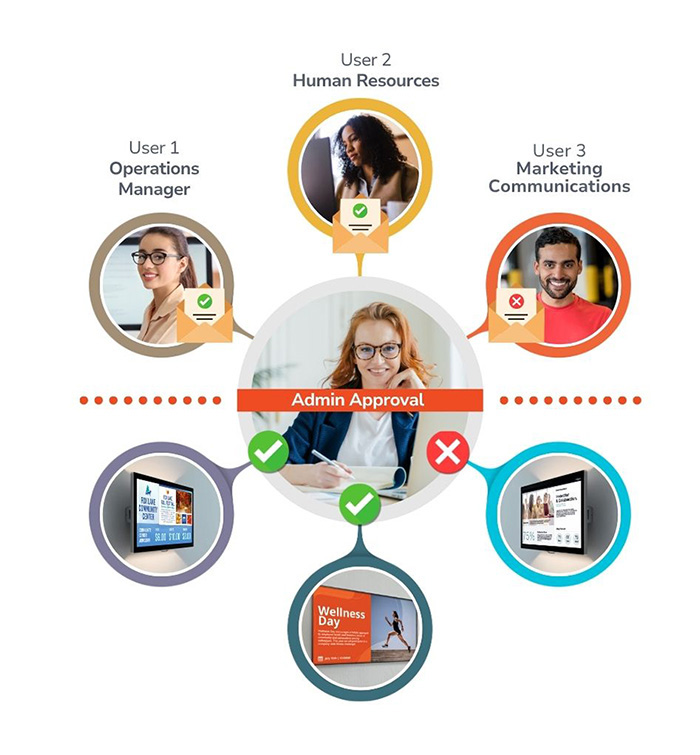
Carousel lets content creators across buildings, departments, or entire campuses easily submit messages, updates, and announcements while administrators review and approve what goes live. Behind the scenes, role-based permissions keep everything organized and secure, giving the right people the right level of access. This creates employee communication screens run by the people, for the people (without sacrificing control or security).
Single Sign-On (SSO) simplifies and secures user access by unifying your organization’s authentication process.
Your workplace runs on data, calendars, and communication tools and your signage should, too. With built-in integrations for Power BI, Google and Microsoft suits of tools, and more, digital signage for corporate communications ensures your screens automatically pull in the updates your teams rely on most, helping you simplify internal communication and keep everyone connected in real time.
Explore all Features ...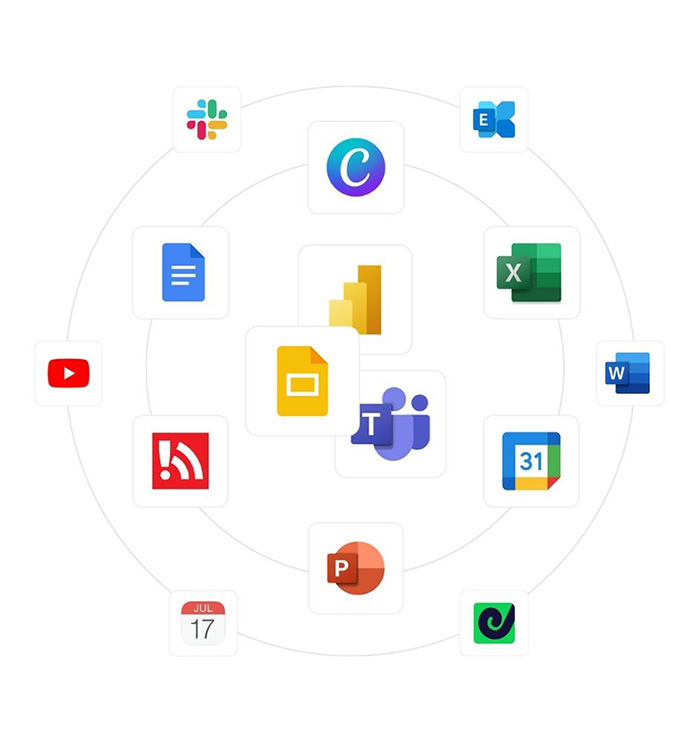
With three decades of experience and a team known for being supportive, approachable, and fun to work with, you can feel confident you’re choosing the right partner.
Talk with our experts
Pricing starting at $25 per player / per month.
No hidden fees. All features are included!
Seamless communication across thousands of devices.
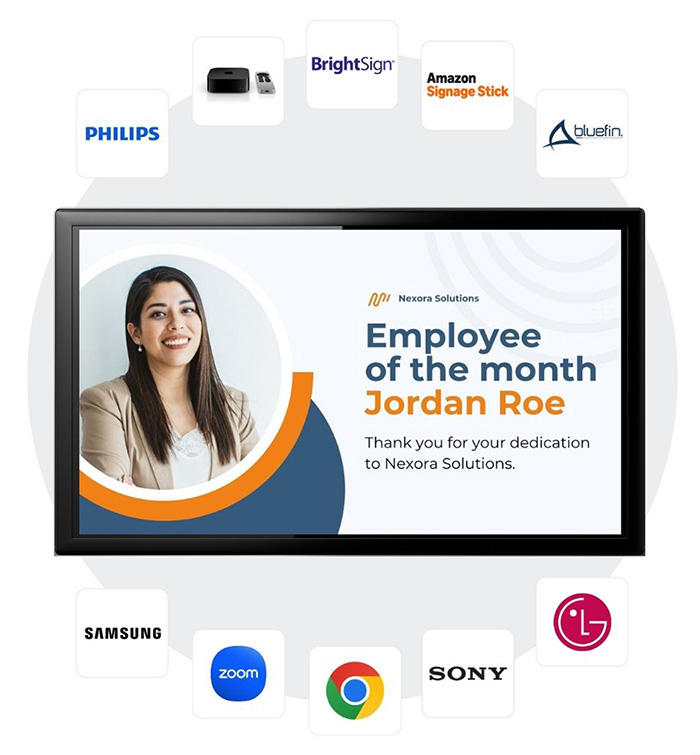
Powered by licensed Carousel software, these integrations do more than display content. They provide the foundation for reliable, campus-wide communication with built-in content caching, offline alerts, and centralized device management and control.
Whether you’re using dedicated signage players in lobbies for high-impact visuals, displays in common areas for announcements and wayfinding, or managing screens across multiple locations and departments, Carousel keeps your messaging consistent, responsive, and on-brand. From a single display to facility-wide communication, Carousel makes it easy to scale confidently using the devices you already support.
Communication shouldn't be limited to a single screen. Carousel gives you a smarter way to extend your messaging across every space, hardware type, and level of complexity, maximizing the impact of the screens you already own.
Carousel Content Feeds make it easy to push impactful messaging to the right screens with a fairly low lift, extending your brand into spaces where communication opportunities already exist. This approach helps organizations reinforce their corporate identity in shared spaces like conference rooms, or within shared resources like intranet pages, without adding complexity or replacing existing technology.
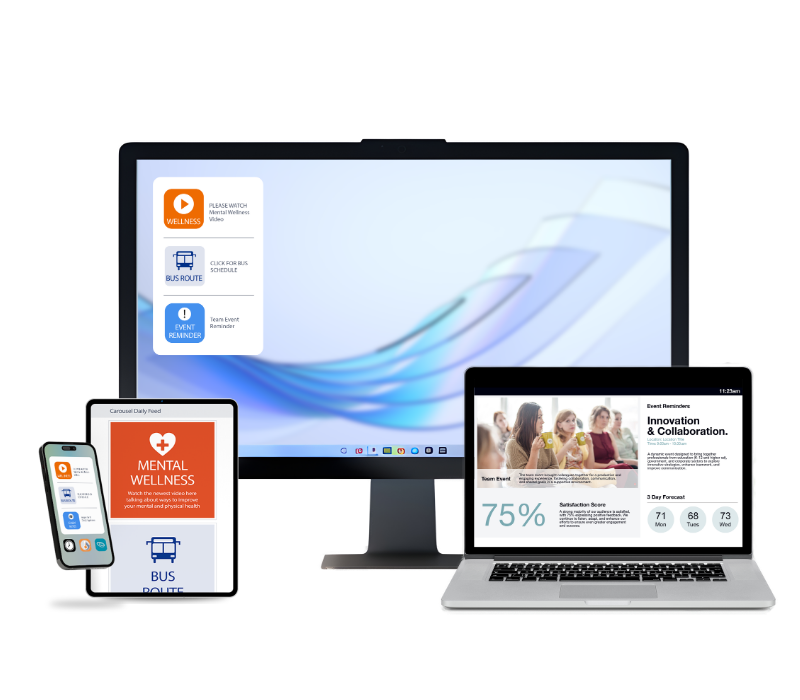
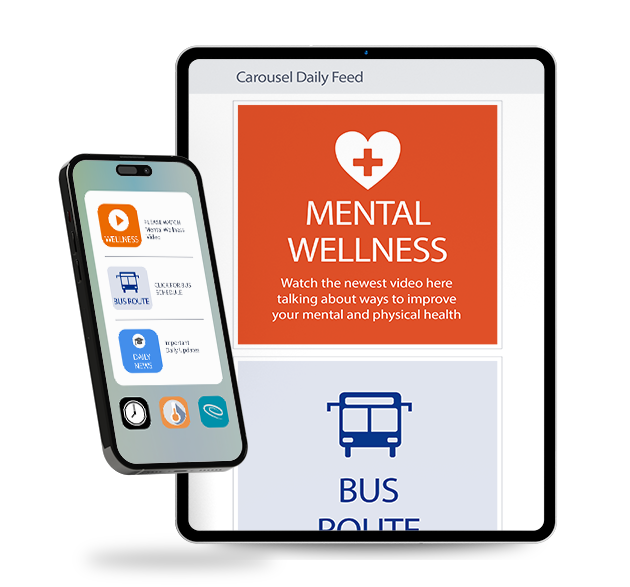
Keep personnel informed, aligned, and mission-ready with The Daily: Communication App for Employee's. Whether your team is stationed at a desk, working across agency facilities, or deployed in the field, The Daily transforms laptops, desktops, and mobile devices into strategic communication channels sending information straight to devices without cluttering email inboxes.
100s of free templates and assets
Not only does Carousel integrate with your favorite tools to simplify content creation, but it also includes a fully loaded creator library (packed with pre-made channel designs, templates, icons, and more) and it’s free with every subscription.
Explore Our Library
Carousel can integrate with emergency and mass notification systems to alert people of critical information in real-time, while simultaneously sending emergency messaging to all displays. This means if digital signage was installed in all major locations across your campus, every screen would change to reflect that emergency information, ensuring everyone is informed with instant, accurate communications.
Learn more about emergency messaging ...
We base our information security program on industry standard frameworks and conduct regular audits to ensure we are meeting our commitments to ourselves and our customers. We engage with third party partners to conduct a SOC 2 Type 2 audit and application penetration testing to help keep your workplace digital signage secure.
Learn more about our security standards ...Company-wide announcements
HR updates + culture highlights
Safety + emergency alerts
KPI dashboards (Power BI)
IT status and system notices
Visitor welcome / wayfinding
Production or operations metrics
Cafeteria menus / facilities updates
Recognition + celebrations
1. Can I display my internal dashboards?
Yes! Carousel integrates with Power BI so you can securely display live data on screens across your organization to keep teams aligned and motivated. Carousel can also be used to show your intranet sites for those who don't use Power BI.
2. Does Carousel work with Google and Microsoft calendars?
Absolutely. Your screens can automatically show upcoming meetings, events, and updates from Google Calendar or Microsoft Outlook. (Or any scheduling software that can provide an ical feed.)
3. How can organizations manage digital signage for corporate communications without extra work or burden on IT?
You don’t need a dedicated team to keep your signage running. With built-in automation, user permissions, and integrations for the tools your teams already use (like Microsoft 365, Google Workspace, Power BI, and Canva) content updates happen naturally.
Collaboration is key: Your HR team can post announcements. Marketing can publish branded visuals. Operations can display dashboards ... all without calling IT.
Everything stays on-brand, on-schedule, and on autopilot, so your screens always reflect what’s happening across your organization, while your people stay focused on their real jobs.
4. Can your digital signage connect with the tools our teams already use like Canva, Microsoft, and Google?
Yes, Carousel integrates with many tools (like Canva, Microsoft and Google) that help keep content creation and sharing easy. Explore all of Carousel's features and integrations.
5. How can different departments manage their own content on shared screens?
With Carousel Zones (and easily configurable user permissions), departments like HR, Marketing, and Operations can each manage their own content on shared screens.. Every zone acts as a dedicated space for specific messages, updates, or announcements, while workflow permissions ensure the right people have the right level of access.
Content creators can easily submit messages for review, and designated approvers or administrators can approve, edit, or schedule content before it goes live. This structured, role-based workflow keeps communication organized, on-brand, and secure, making it simple for teams to collaborate while maintaining full administrative control.
6. How do companies use digital signage?
Companies use digital signage to simplify communication across their organization keeping employees informed, aligned, and engaged. It’s a powerful way to share company updates, highlight key metrics, recognize employee achievements, and provide directory or wayfinding information across larger corporate campuses. From HR announcements to performance dashboards, digital signage ensures every message reaches the right audience at the right moment.
Digital Signage & Mobile Device Management
MDM simplifies device control, strengthens security, streamlines updates, and improves uptime.
CAP (The Common Alert Protocol)
Increase situational awareness and response accuracy by integrating your signage system with CAP.
Above-Door Signage: The Unsung Safety Heroes
Above-door can be one of the first lines of visual defense when urgency strikes.
Schedule time and learn just how easy it can be to communicate the right message, to the right people.


.png)